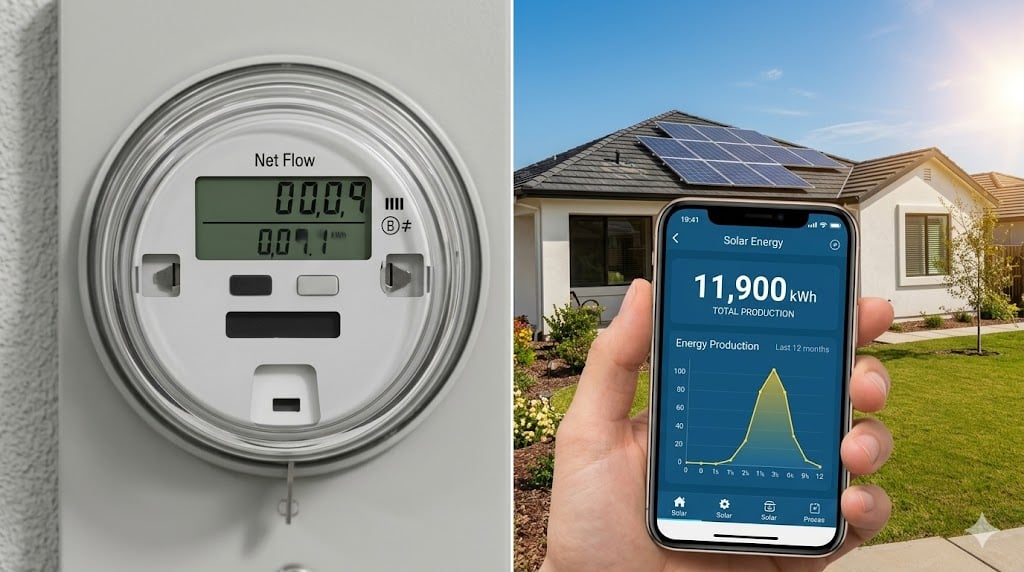
An email arrived from FPL this week for one of our clients. “You may now begin operating your private solar system.” Those words are the finish line on a process that started months ago. They are also the start of a new set of questions. Here is what actually happens next, and what led up to it.
What Permission to Operate Actually Means
Permission to Operate, or PTO, is FPL’s formal authorization to run your solar system in grid-tied mode and export power to the grid. Before that email arrived, your panels were physically installed and your equipment had passed county inspection. But your inverter was locked in a mode that prevented it from sending excess power back to the grid. FPL holds that lockout in place to protect lineworkers and maintain grid stability until their interconnection review is complete.
When PTO arrives, the lockout is lifted. Your inverter now operates in full grid-tied mode, which means any power your panels produce beyond what your home is using in that moment gets sent back through the meter and onto the grid. That is what starts the net metering clock.
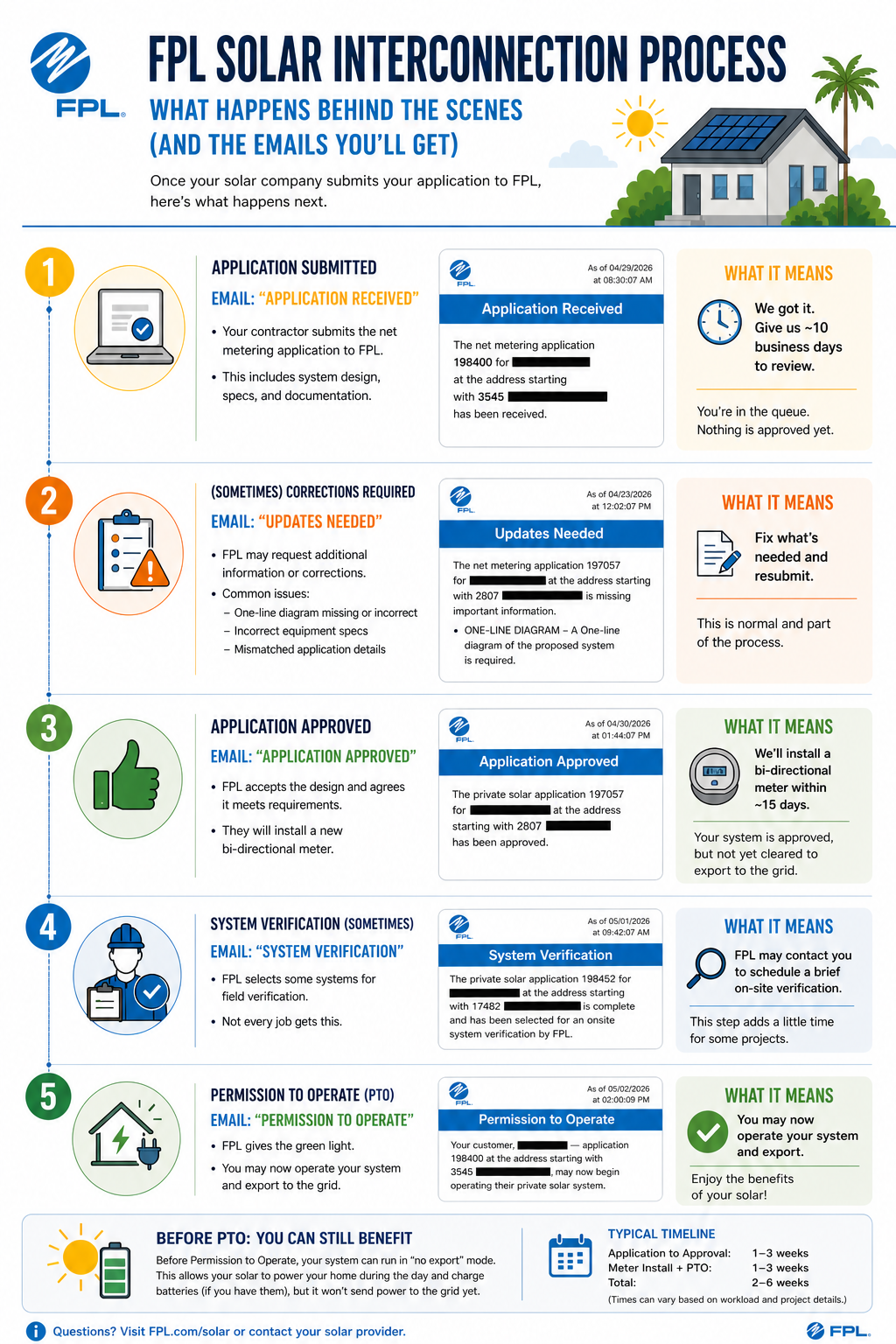
Getting to that email requires working through FPL’s interconnection process. Most homeowners do not know what that process looks like from FPL’s side. Here is the sequence of emails you can expect, and what each one means.
The FPL Email Sequence: From Application to PTO
FPL sends a series of status emails as your interconnection application moves through their system. Not every installation hits every stage, but understanding the full sequence prevents a lot of confusion and unnecessary anxiety while you are waiting.
Email 1: Application Received
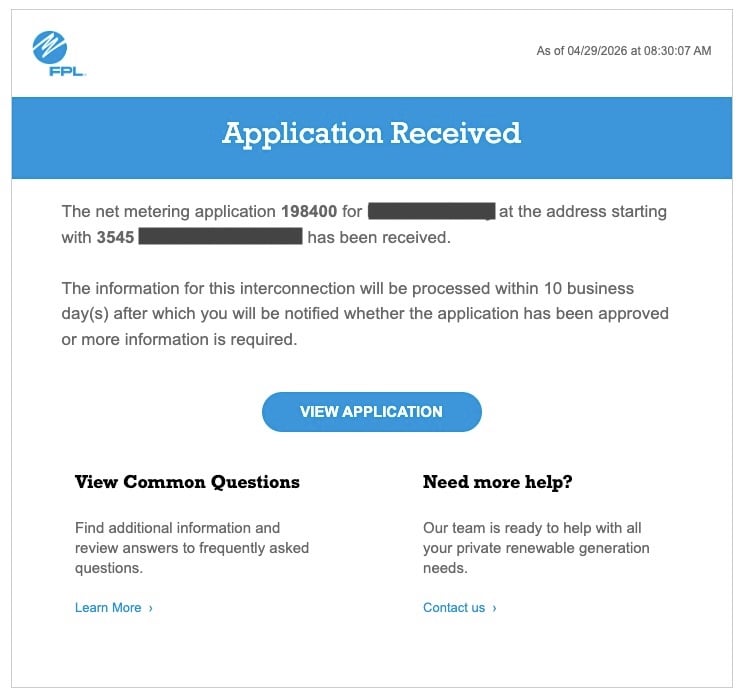
This is the first confirmation you get after your installer submits the interconnection application. FPL acknowledges receipt and states that the application will be processed within 10 business days, after which you will be notified whether it has been approved or whether more information is required.
There is nothing to do during this window. The application is in FPL’s queue. Ten business days is two calendar weeks, and FPL generally reviews applications much faster, sometimes the same day, but it can be longer, especially for larger systems. If you are watching your inbox and nothing arrives after two weeks, that is worth a call to your installer to check on the application status.
Email 2: Updates Needed
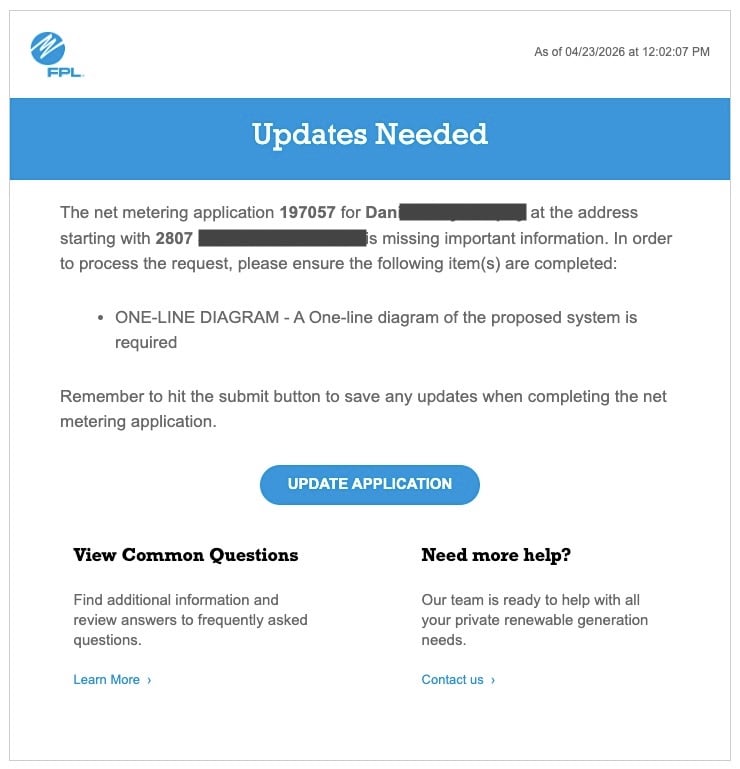
Not every application receives this email. When it arrives, it means FPL found something missing or incomplete in the submission and cannot proceed until the issue is resolved.
The most common trigger is a missing one-line diagram, insurance document, or rejected insurance details. FPL sometimes requires a one-line diagram of the proposed system as part of the interconnection application, and if it was not included or does not meet their requirements, the application stalls here. Other triggers include incomplete insurance documentation or system specification sheets that do not match the application details.
When this email arrives, the 10-business-day clock effectively restarts. Getting the required item back to FPL quickly matters. The Update Application button in the email links directly to the portal where the correction can be submitted, and we will do that for you. If you are working with FSDG and receive this email, we will address it urgently.
Once we resubmit the information, the aplpication goes back into the review queue.
Email 3: Application Approved
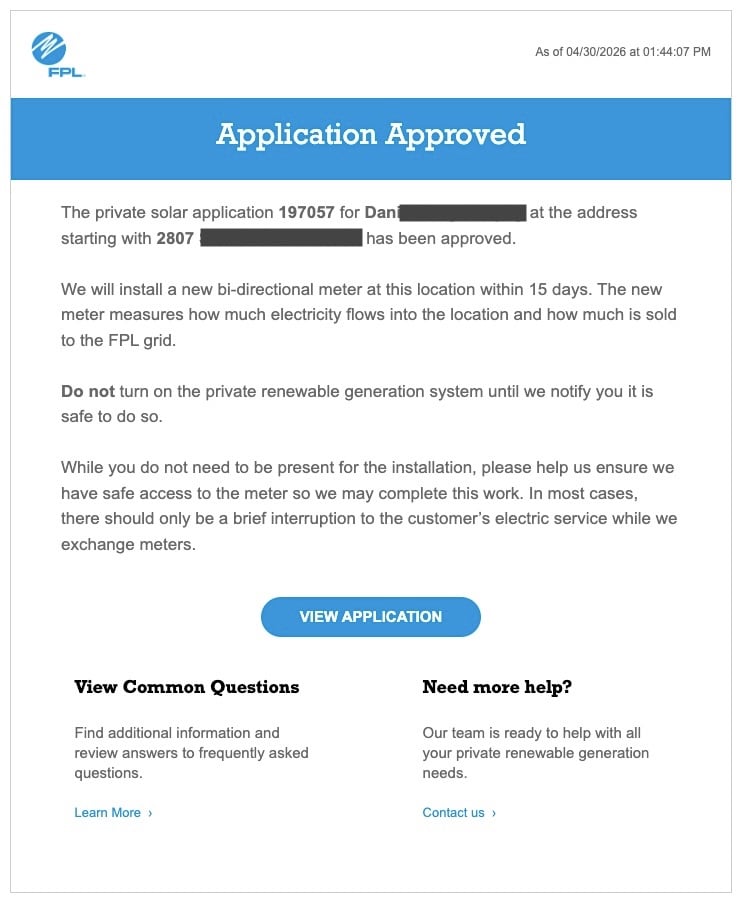
This email is often mistaken for the green light to turn on the system. It is not. FPL is explicit about this in the email itself: “Do not turn on the private renewable generation system until we notify you it is safe to do so.”
What Application Approved actually means is that FPL has reviewed and accepted your interconnection application and will install a new bidirectional meter at your location within 15 days. The bidirectional meter is what makes net metering possible. It measures power flowing both into your home from the grid and out of your home to the grid. Your existing meter only reads in one direction and cannot support net metering.
You do not need to be home for the meter swap. FPL handles it at the meter box, and service will be interrupted only briefly during the exchange. Once the new meter is in place, your system is mechanically ready to export. But the authorization to do so still has not arrived.
Don’t be alarmed by the timeframe indicated in the email. It usually happens much quicker than promised by FPL.
Email 4: System Verification
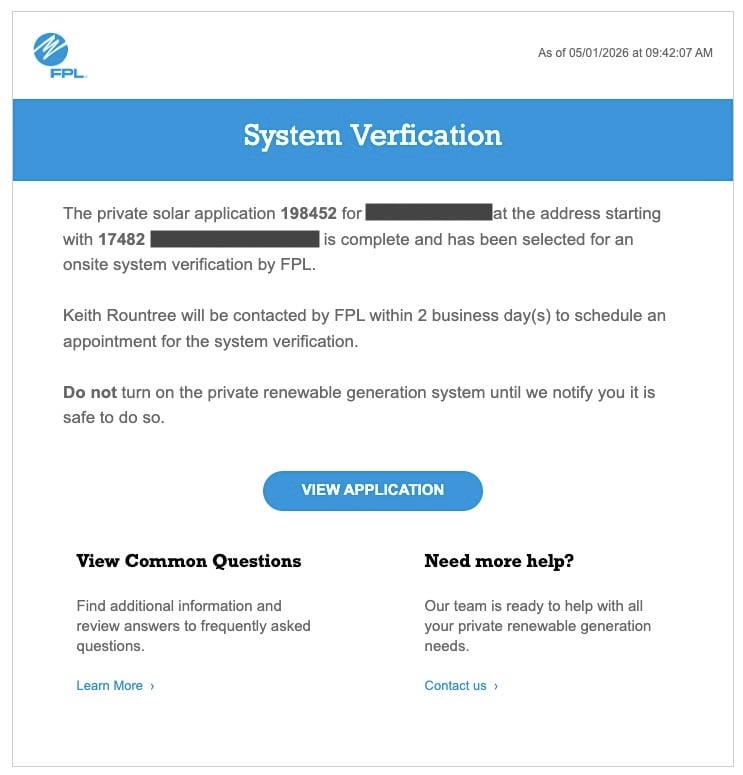
Not every installation goes through this step. FPL selects certain applications for an onsite system verification before issuing PTO. When this email arrives, FPL will contact the homeowner within two business days to schedule the appointment. The email again carries the same instruction: do not turn on the system until notified.
The onsite verification is FPL sending a technician to physically confirm that the installed system matches what was described in the application. They are checking that the equipment is what was submitted. Basically, they are there to count the panels. For the homeowner, the main task is making sure FPL can access the meter and any exterior equipment. The installer does not need to be present.
Whether or not your system is selected for verification depends on FPL’s internal criteria, which are unknown. Larger systems, certain system configurations, and applications that generated questions during the review process are more likely to trigger this step. There is no way to predict it in advance. It seems to happen about 2-5% of the time.
Email 5: Permission to Operate
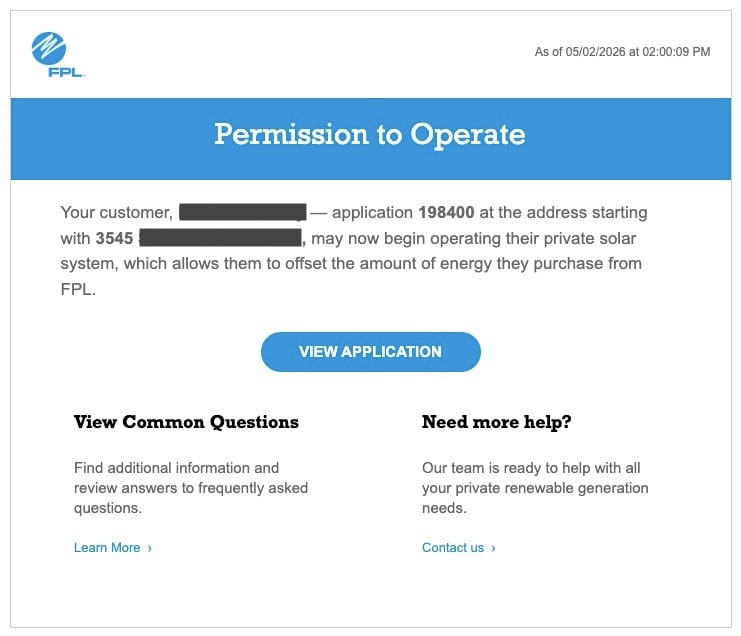
This is the one that matters. When the Permission to Operate email arrives, FPL has completed everything on its end. The inverter lockout is officially cleared. You are authorized to operate your solar system in grid-tied mode, which means the system can now send power back through the bidirectional meter and credit your account through net metering.
For the client whose email opened this post, the subject line read: “You may now begin operating your private solar system.” That sentence ends months of permitting, inspection, application review, and waiting. It also begins something new.
The First 24 to 48 Hours After PTO: Three Things to Do
The day PTO arrives, we will remotely set your system to full export mode. All excess solar power will be exported to the grid for full credit. You do not need to notify us, as we receive the same emails you get. In rare cases, especially when you did not have Internet service during installation, we will need to return to your site to physically activate the system.
After your system is remotely activated, we will call, text, or email you to let you know it’s up and running. At that point, there is nothing for you to do except check out the app and enjoy your system! Behind the scenes, I will be watching to make sure everything is working. I set three calendar tasks at that point:
24 hour: check to make sure the system is exporting.
One week: check the system for rough estimate of output and normal function.
30 Days: full analysis to assess system performance and ensure you are getting what is expected.
If you don’t hear from me, everything is up to specifications, and you can rest assured that the system is doing what it is supposed to do. After 30 days passes, it’s up to you to keep an eye on the system and alert us if anything seems out of the ordinary.
How Your First Net Metering Bill Works
This is the part that generates more confusion than anything else in the first 90 days, and the confusion is completely understandable.
FPL’s billing cycle does not reset the moment your PTO arrives. You are dropped into an existing cycle, which means your first net metering statement will almost always cover a partial period of solar production. If your PTO arrived on April 25 and your meter reads on May 15, your first bill reflects roughly three weeks of solar production layered on top of grid consumption from the weeks before your system was authorized. The arithmetic looks nothing like what you expected.
The result is a bill that seems strange. Homeowners expecting a dramatic first-month reduction often see modest savings, or a mix of charges and credits that requires careful reading. This is not a sign that anything is wrong. It is a timing artifact of how billing cycles interact with mid-cycle PTO arrivals. It clears up by month three.
Here is how to read the statement. Find the net metering section of your FPL bill, which is a bullet point in the “Keep in Mind” section. You will see two key numbers: energy sent to the grid in kWh, and how much of that was drawn back from the grid in kWh. FPL nets those against each other within the billing period. If you consumed 1,100 kWh and sent back 400 kWh, you are billed for 700 kWh. If the reverse is true, they will indicate adding 700 kWh to your “reserve” and tell you the total you have in reserve at that point. That math holds going forward.
Credits from overproduction in a given month roll forward to the next bill. FPL does not cut you a check for excess export, but those credits accumulate and reduce future charges. Spring tends to be the strongest credit month in Florida, when production peaks and cooling loads have not yet climbed. Plan for your billing to vary seasonally. If you want a visual overview of how the credit math flows, our net metering basics infographic is worth saving as a reference.
If you have excess reserves at the end of the calendar year, FPL will provide you a small bill credit and reset the netmetering reserve to zero. You only received the “wholesale” rate for excess at the end of the year, so it’s best to not overproduce because you will get very little for that energy. It’s kind of a use it or lose it scenario.
Keep in mind that FPL has no idea how much solar power you are producing. They only know what excess you send back to them. Your monitoring system’s production will always exceed what FPL says they received. This is normal. Speaking of which…
What Normal Looks Like, and What Warrants a Call
Once your system has been running for a couple of weeks and you have a full billing cycle behind you, you should have a working picture of what normal production looks like.
A typical clear day in Southwest Florida delivers roughly 4.5 to 5.5 peak sun hours of equivalent full-intensity production. For a 10 kW system, that means approximately 45 to 55 kWh on a genuinely sunny day. Smaller systems scale proportionally. If your system is producing within that range on a clear day, it is doing what it should.
Normal also looks like this: output that drops significantly on overcast days, sometimes by 60 to 80 percent on a heavy cloud cover day; a production curve that peaks between 10am and 2pm and tapers into the late afternoon; and brief dips during intermittent cloud cover that recover when conditions clear. None of that is a problem.
What is worth a call to your installer: a panel or string that shows zero output on a clear day for more than 24 hours. With Enphase microinverters, panel-level monitoring shows you exactly which unit stopped reporting. With a string inverter, a dead string shows up as reduced total output. Either way, it is a specific and identifiable issue rather than a vague “seems low” concern.
Sustained production running 20 percent or more below your proposal estimates over a two-week stretch of clear days also warrants a look. One bad day means nothing. A persistent pattern on good days means something needs attention.
If your monitoring app shows the system offline and it does not recover after a router reboot, call. Monitoring depends on your home network, and a router reboot solves the problem more often than you would expect. If the hardware itself is not producing, that is a different situation entirely. Wi-Fi connection issues are our #1 service call, and usually this tracks to the customer’s network or a poor Wi-Fi signal. These issues are not covered under warranty, so it’s important that you provide a good Wi-Fi network strength at the time of installation and keep it that way.
The Bottom Line
The FPL interconnection process moves through a predictable sequence: application received, updates if needed, approval and meter swap, system verification for some installations, and finally Permission to Operate. Understanding that sequence makes the waiting period less stressful and helps you know what to act on versus what to let run its course. For more context on how FPL structures its interconnection tiers and what determines the review process for your system, our post on utility interconnection tiers covers that in detail.
When PTO arrives, spend 15 minutes on three things: check monitoring, document baseline production, and schedule regular review of your system’s monitoring app. Expect your first net metering bill to cover a partial cycle and look different from what you anticipated. Give the system a couple of weeks before drawing any conclusions about performance.
If something looks wrong after that settling-in period, call us. We would rather hear about a potential issue in month one than find out in month seven that something has been quietly underperforming since the day you got your PTO.